Nothing
Translate API Code
In CopernicusClimate: Search Download and Handle Data from Copernicus Climate Data Service
knitr::opts_chunk$set(
  collapse = TRUE,
  comment = "#>"
)
Locating a dataset
You could use the R functions cds_search_datasets() and cds_list_datasets() to
look for Copernicus Climate Change Service (C3S) data.
If you prefer using a graphical user interface, you can use the website to find
a suitable dataset: https://cds.climate.copernicus.eu/datasets.
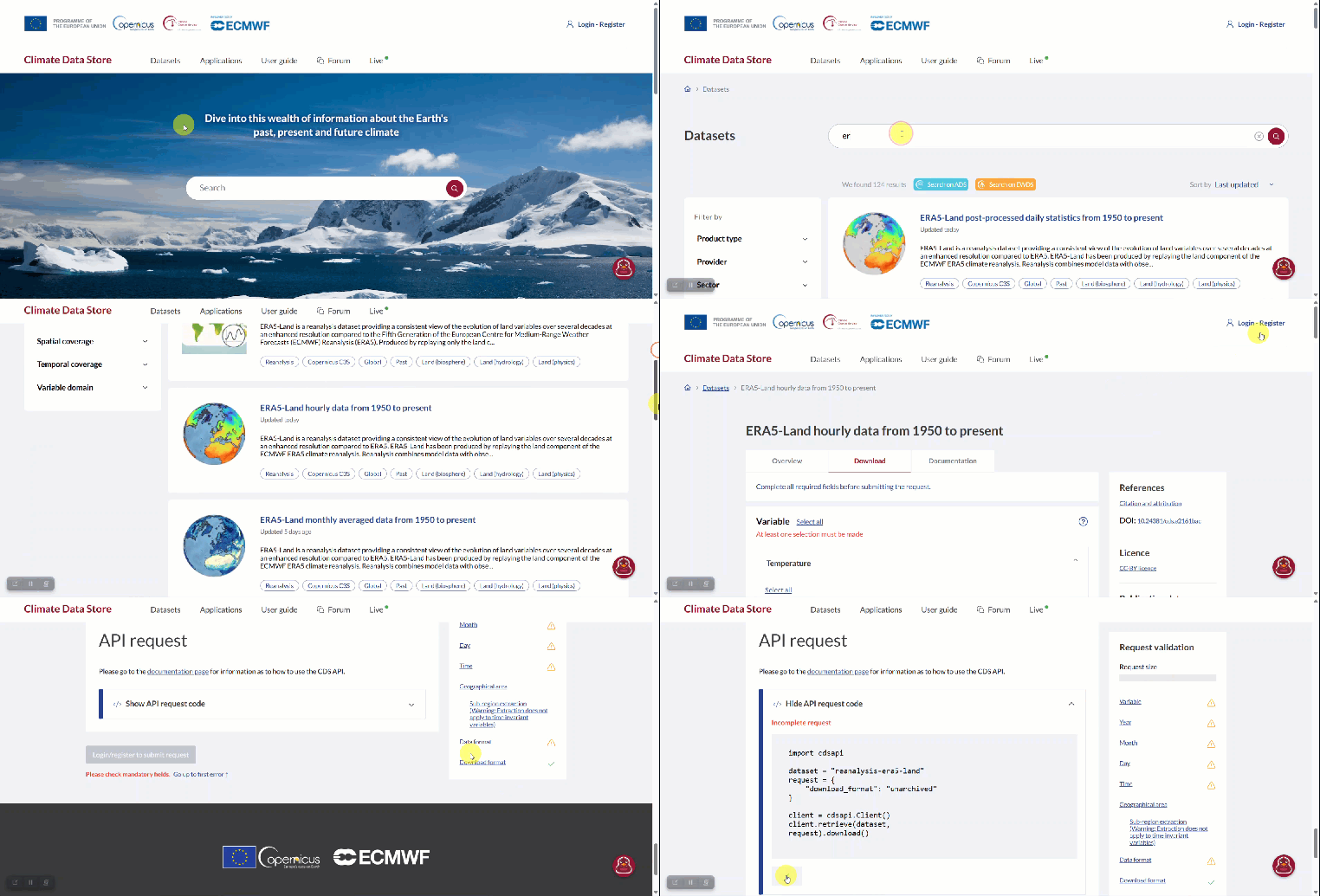
The screen recording below shows how to look for a dataset on the website, and then
copy the request code for that dataset to the clipboard. Note this recording is
only showing the essentials, and no specific subsetting selections are made, causing
the actual request to be incomplete. But the principle remains the same.
Downloading the dataset
Once the request code is on your system's clipboard, you can go to your R console
and download the dataset, by first submitting the request with cds_submit_job().
By omitting the dataset argument, the function will automatically look for a request
on the clipboard. After the request has been processed, you can download the dataset
with cds_download_jobs(). All of this is illustrated in the screen recording below.

You can also arrange your workflow completely in R, without using a web browser.
For more details on this workflow check out vignette("download").
Translation
Under the hood of all this is the function cds_python_to_r(). It is used to translate
request code from the website to a request that can be handled by this R package.
In essence it extracts all relevant information from the Python codes and turns it into
a named list.
Try the CopernicusClimate package in your browser
Any scripts or data that you put into this service are public.
CopernicusClimate documentation built on Jan. 8, 2026, 1:08 a.m.
R Package Documentation
Browse R Packages
We want your feedback!
Note that we can't provide technical support on individual packages. You should contact the package authors for that.
knitr::opts_chunk$set( collapse = TRUE, comment = "#>" )
Locating a dataset
You could use the R functions cds_search_datasets() and cds_list_datasets() to
look for Copernicus Climate Change Service (C3S) data.
If you prefer using a graphical user interface, you can use the website to find
a suitable dataset: https://cds.climate.copernicus.eu/datasets.
The screen recording below shows how to look for a dataset on the website, and then copy the request code for that dataset to the clipboard. Note this recording is only showing the essentials, and no specific subsetting selections are made, causing the actual request to be incomplete. But the principle remains the same.
Downloading the dataset
Once the request code is on your system's clipboard, you can go to your R console
and download the dataset, by first submitting the request with cds_submit_job().
By omitting the dataset argument, the function will automatically look for a request
on the clipboard. After the request has been processed, you can download the dataset
with cds_download_jobs(). All of this is illustrated in the screen recording below.
You can also arrange your workflow completely in R, without using a web browser.
For more details on this workflow check out vignette("download").
Translation
Under the hood of all this is the function cds_python_to_r(). It is used to translate
request code from the website to a request that can be handled by this R package.
In essence it extracts all relevant information from the Python codes and turns it into
a named list.
Try the CopernicusClimate package in your browser
Any scripts or data that you put into this service are public.
R Package Documentation
Browse R Packages
We want your feedback!
Note that we can't provide technical support on individual packages. You should contact the package authors for that.
Embedding an R snippet on your website
Add the following code to your website.
For more information on customizing the embed code, read Embedding Snippets.