opt_footnote_order: Option to modify the order of footnotes
In gt: Easily Create Presentation-Ready Display Tables
opt_footnote_order R Documentation
Option to modify the order of footnotes
Description
We can alter the order in which marked footnotes appear in relation to any
unmarked footnotes in the footer section of the table. A single keyword is to
be supplied and it will determine whether marked footnotes should appear:
(1) before unmarked, (2) after unmarked, or (3) in call order.
Usage
opt_footnote_order(data, order = "marks_last")
Arguments
data
The gt table data object
obj:<gt_tbl> // required
This is the gt table object that is commonly created through use of the
gt() function.
order
Method for ordering footnote marks
scalar<character> // default: "marks_last"
A keyword provided here will determine how marked footnotes will be
arranged in relation to unmarked footnotes. Use either: "marks_last",
"marks_first", or "preserve_order".
Value
An object of class gt_tbl.
Specification of footnote order
The keywords are:
-
"marks_last": marked footnotes should appear beneath unmarked in the
table (default)
-
"marks_first": marked footnotes should appear before unmarked in the
table
-
"preserve_order": footnotes will appear in the order they were specified
in tab_footnote()
Examples
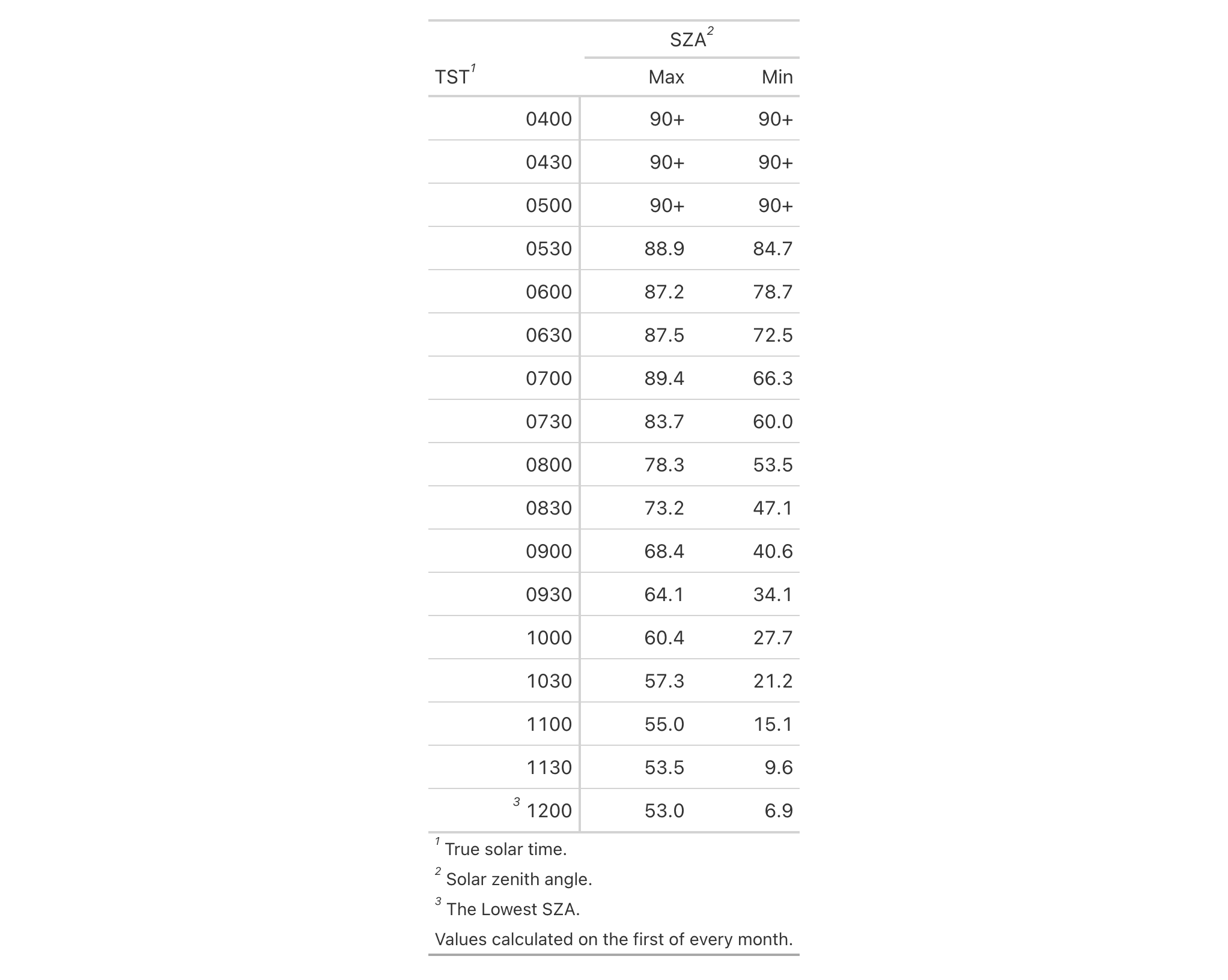
Use a summarized version of the sza dataset to create a gt table,
adding three marked footnotes and one unmarked (with four calls of
tab_footnote()). We can modify the order of footnotes with the
opt_footnote_order() function.
sza |>
  dplyr::filter(latitude == 30) |>
  dplyr::group_by(tst) |>
  dplyr::summarize(
    SZA.Max = if (
      all(is.na(sza))) {
      NA
    } else {
      max(sza, na.rm = TRUE)
    },
    SZA.Min = if (
      all(is.na(sza))) {
      NA
    } else {
      min(sza, na.rm = TRUE)
    },
    .groups = "drop"
  ) |>
  gt(rowname_col = "tst") |>
  tab_spanner_delim(delim = ".") |>
  sub_missing(
    columns = everything(),
    missing_text = "90+"
  ) |>
  tab_stubhead(label = "TST") |>
  tab_footnote(
    footnote = "True solar time.",
    locations = cells_stubhead()
  ) |>
  tab_footnote(
    footnote = "Solar zenith angle.",
    locations = cells_column_spanners(
      spanners = "spanner-SZA.Max"
    )
  ) |>
  tab_footnote(
    footnote = "The Lowest SZA.",
    locations = cells_stub(rows = "1200")
  ) |>
  tab_footnote(
    footnote = "Values calculated on the first of every month."
  ) |>
  opt_footnote_order(order = "marks_first")
Function ID
10-5
Function Introduced
v0.1.1.9000 (September 22, 2025)
See Also
Other table option functions:
opt_align_table_header(),
opt_all_caps(),
opt_css(),
opt_footnote_marks(),
opt_footnote_spec(),
opt_horizontal_padding(),
opt_interactive(),
opt_row_striping(),
opt_stylize(),
opt_table_font(),
opt_table_lines(),
opt_table_outline(),
opt_vertical_padding()
gt documentation built on Jan. 22, 2026, 9:07 a.m.
R Package Documentation
Browse R Packages
We want your feedback!
Note that we can't provide technical support on individual packages. You should contact the package authors for that.
| opt_footnote_order | R Documentation |
Option to modify the order of footnotes
Description
We can alter the order in which marked footnotes appear in relation to any unmarked footnotes in the footer section of the table. A single keyword is to be supplied and it will determine whether marked footnotes should appear: (1) before unmarked, (2) after unmarked, or (3) in call order.
Usage
opt_footnote_order(data, order = "marks_last")
Arguments
data |
The gt table data object
This is the gt table object that is commonly created through use of the
|
order |
Method for ordering footnote marks
A keyword provided here will determine how marked footnotes will be
arranged in relation to unmarked footnotes. Use either: |
Value
An object of class gt_tbl.
Specification of footnote order
The keywords are:
-
"marks_last": marked footnotes should appear beneath unmarked in the table (default) -
"marks_first": marked footnotes should appear before unmarked in the table -
"preserve_order": footnotes will appear in the order they were specified intab_footnote()
Examples
Use a summarized version of the sza dataset to create a gt table,
adding three marked footnotes and one unmarked (with four calls of
tab_footnote()). We can modify the order of footnotes with the
opt_footnote_order() function.
sza |>
dplyr::filter(latitude == 30) |>
dplyr::group_by(tst) |>
dplyr::summarize(
SZA.Max = if (
all(is.na(sza))) {
NA
} else {
max(sza, na.rm = TRUE)
},
SZA.Min = if (
all(is.na(sza))) {
NA
} else {
min(sza, na.rm = TRUE)
},
.groups = "drop"
) |>
gt(rowname_col = "tst") |>
tab_spanner_delim(delim = ".") |>
sub_missing(
columns = everything(),
missing_text = "90+"
) |>
tab_stubhead(label = "TST") |>
tab_footnote(
footnote = "True solar time.",
locations = cells_stubhead()
) |>
tab_footnote(
footnote = "Solar zenith angle.",
locations = cells_column_spanners(
spanners = "spanner-SZA.Max"
)
) |>
tab_footnote(
footnote = "The Lowest SZA.",
locations = cells_stub(rows = "1200")
) |>
tab_footnote(
footnote = "Values calculated on the first of every month."
) |>
opt_footnote_order(order = "marks_first")
Function ID
10-5
Function Introduced
v0.1.1.9000 (September 22, 2025)
See Also
Other table option functions:
opt_align_table_header(),
opt_all_caps(),
opt_css(),
opt_footnote_marks(),
opt_footnote_spec(),
opt_horizontal_padding(),
opt_interactive(),
opt_row_striping(),
opt_stylize(),
opt_table_font(),
opt_table_lines(),
opt_table_outline(),
opt_vertical_padding()
R Package Documentation
Browse R Packages
We want your feedback!
Note that we can't provide technical support on individual packages. You should contact the package authors for that.
Embedding an R snippet on your website
Add the following code to your website.
For more information on customizing the embed code, read Embedding Snippets.